WebP vs AVIF: Which Format is Best for Web Performance in 2026?
An in-depth technical comparison between WebP and AVIF. Discover which next-gen format offers the best compression ratios and visual quality in 2026.
In 2026, web developers and site owners face a clear choice when optimizing assets: WebP or AVIF. While legacy formats like JPEG and PNG are increasingly relegated to fallback roles, choosing between these two modern options requires understanding their underlying architectures, compression capabilities, and compatibility footprints.
Technical Underpinnings: VP8 vs. AV1
The performance differences between WebP and AVIF stem from the video compression standards they are built upon:
- WebP: Introduced by Google in 2010, WebP is based on the intra-frame encoding of the VP8 video codec. It supports lossy compression, lossless compression, transparency, and animation. WebP relies on predictive coding to estimate pixel blocks based on neighboring pixels, which was highly effective when introduced but has since been surpassed by modern video compression standards.
- AVIF: Released in 2019, AVIF is based on the intra-frame coding of the royalty-free AV1 video compression format. Developed by the Alliance for Open Media (AOMedia) - which includes Google, Apple, Microsoft, and Mozilla - AVIF leverages advanced block partitioning, intra-prediction directions, and loop filtering. This modern codebase allows AVIF to identify complex patterns and optimize them far more efficiently than WebP.
Compression Efficiency: WebP vs. AVIF Benchmarks
Real-world testing consistently highlights AVIF’s superior compression efficiency over WebP:
- Photographic Images: For high-resolution photography, AVIF typically yields files that are 30% smaller than WebP and up to 50% smaller than JPEG at equivalent structural similarity (SSIM) indexes.
- Complex Textures: AVIF excels at compressing detailed textures, gradients, and low-contrast areas. While WebP tends to wash out fine noise or create blocky colors under high compression, AVIF retains natural transitions at much lower file weights.
- Lossless Compression: In terms of mathematically lossless compression (e.g., logos or graphics with transparent backgrounds), WebP remains highly efficient, occasionally matching or slightly beating AVIF in encoding speed and file sizes. However, for lossy transparent graphics, AVIF saves significant bandwidth.
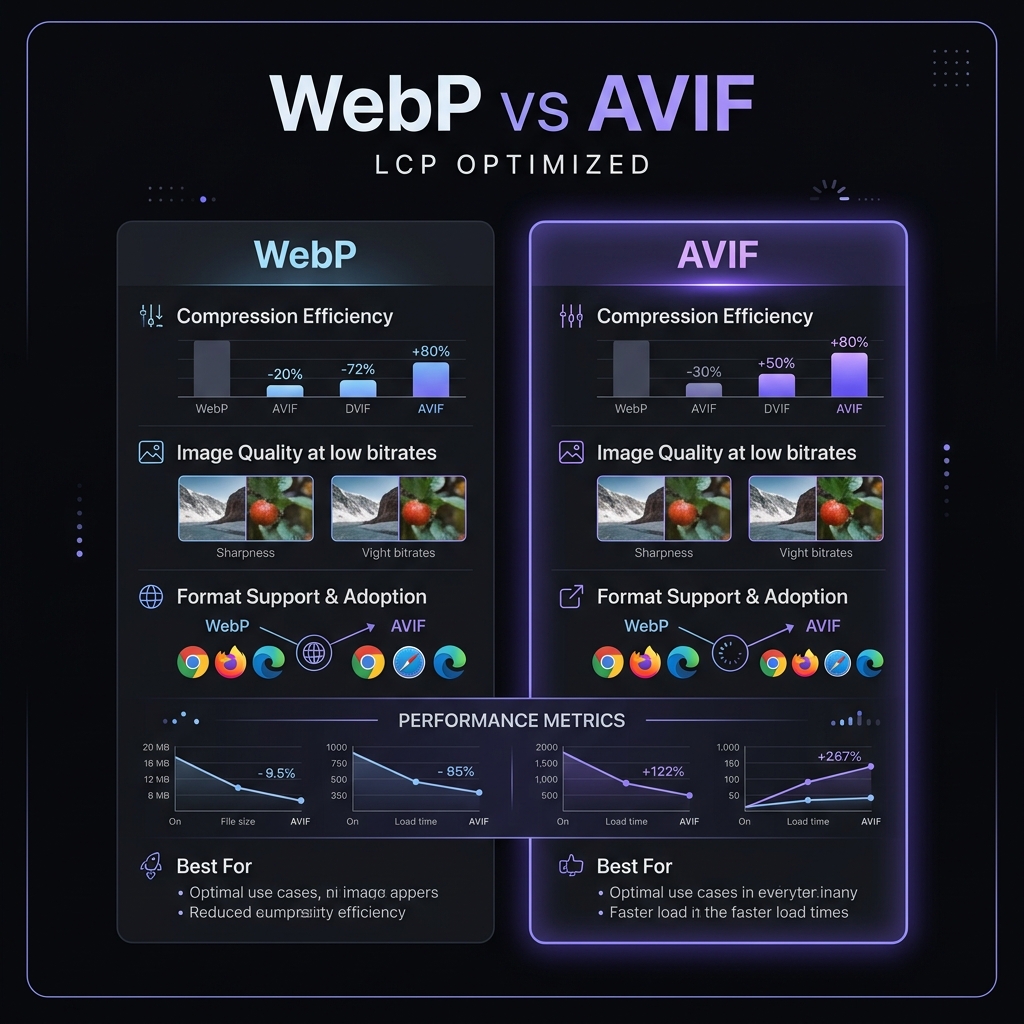 Figure 5: Graphic comparison of average file sizes across formats at equivalent SSIM (structural similarity) index.
Quality at Low Bitrates: Artifacting Comparison
When images are compressed aggressively to fit small file budgets (e.g. targeting under 30 KB), their rendering behavior under low bitrates is critical:
- WebP Artifacts: As quality sliders drop, WebP encoding generates noticeable blockiness and color banding. Fine text outlines blur, and sharp contrast borders develop pixelated noise (mosquito noise).
- AVIF Smoothing: When compressed aggressively, AVIF’s advanced loop filters smooth out gradients rather than creating blocky shapes. While this can result in a slightly softer look (loss of high-frequency detail), it prevents the jarring block outlines common in WebP and JPEGs. This makes AVIF visually superior for low-bandwidth environments.
Browser Support and Fallback Strategies
Browser support has evolved significantly:
- WebP: Enjoys universal compatibility across 98%+ of active web browsers worldwide, including legacy versions of Safari and Internet Explorer fallbacks.
- AVIF: Supported by default in Chrome, Firefox, Opera, and Edge. Apple added support for AVIF in iOS 16 and macOS Ventura (Safari 16). While AVIF coverage sits at roughly 93%+ of active browsers, older devices and legacy Safari clients will still display broken image links if served raw AVIF assets.
To handle these compatibility gaps, developers should use the HTML5 <picture> element to serve fallback assets dynamically:
<picture>
  <source srcset="image.avif" type="image/avif" />
  <source srcset="image.webp" type="image/webp" />
  <img src="image.jpg" alt="Optimized Hero Graphic" loading="lazy" />
</picture>
WebP & AVIF Format Converters
Directly convert legacy JPG and PNG images into modern AVIF or WebP files locally.
Verdict: Which Format to Choose in 2026
- Choose AVIF as your primary format for all photographic assets, complex graphics, and headers. Its bandwidth savings are unmatched, directly improving Core Web Vitals (LCP) and reducing CDN transfer fees.
- Choose WebP as your secondary/fallback format for all modern browsers that do not support AVIF, and for lossless graphics with transparent alpha channels where its encoding speed is highly optimized.
- Retain JPEG/PNG strictly as fallback options in the standard
<img>tag to guarantee compatibility for legacy scrapers, RSS readers, and older browser versions.